Fox Micky: A Practical Guide to Using Color Fonts in Modern Design
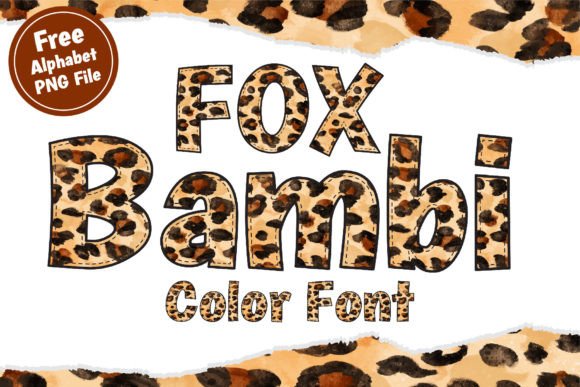
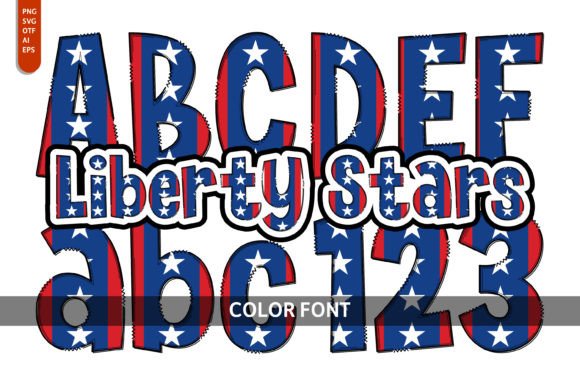
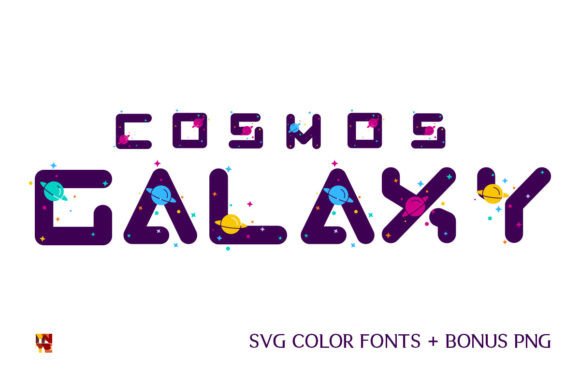
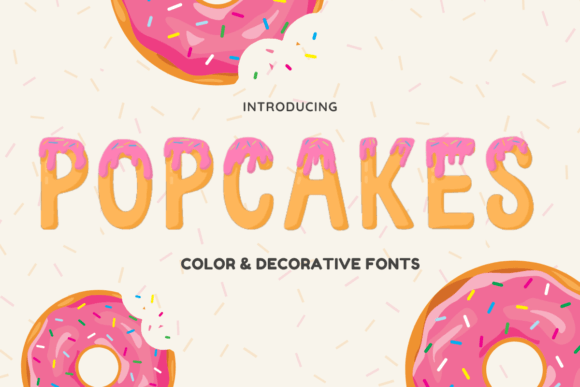
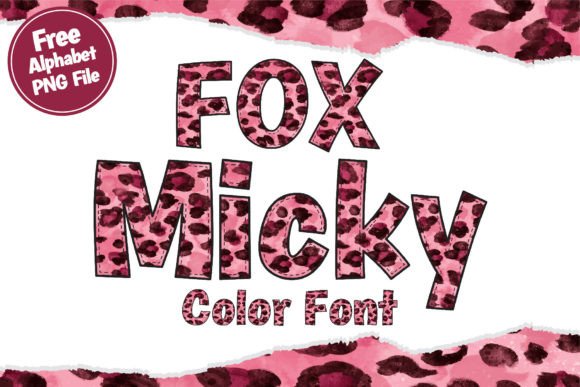
In the evolving landscape of digital typography, designers are increasingly seeking tools that bridge the gap between traditional text and graphical illustration. Fox Micky emerges as a distinctive option in this category, offering a cool and fun decorative color font designed to add immediate visual interest to creative projects. Unlike standard typefaces that rely solely on shape and spacing, Fox Micky utilizes OpenType full-color SVG technology to embed complex colors and gradients directly into the character glyphs. This article evaluates the utility, technical requirements, and ideal use cases for Fox Micky to help designers determine if it aligns with their specific project goals.
Understanding the Technology Behind Fox Micky
To effectively utilize Fox Micky, it is essential to understand how it differs from conventional fonts. Traditional fonts, such as TrueType or standard OpenType files, define characters using vector outlines that are filled with a single solid color determined by the design software at the time of use. In contrast, Fox Micky is an OpenType full-color SVG font. SVG (Scalable Vector Graphics) allows each letter to contain multiple layers, gradients, shadows, and intricate details that remain consistent regardless of the software’s current color settings.
This technological distinction means that when you type with Fox Micky, you are not just inserting text; you are placing a pre-designed graphic element that behaves like text. This hybrid nature makes it particularly suitable for designs where consistency and speed are paramount. However, this convenience comes with specific technical constraints that users must navigate to ensure proper rendering.
Ideal Applications and Design Use Cases
The unique aesthetic of Fox Micky makes it a strong candidate for projects requiring high-impact, playful, or decorative elements. Because the font carries its own visual weight and style, it reduces the need for extensive post-processing in graphic editing software. Here are several scenarios where Fox Micky serves as an effective design solution:
- Apparel and Merchandise: The bold and colorful nature of the font makes it highly suitable for designing t-shirts, tote bags, and hats. The pre-rendered colors can simplify the printing process for direct-to-garment or sublimation printing, provided the file formats are managed correctly.
- Stickers and Decals: For sticker design, where distinct shapes and vibrant colors are crucial, Fox Micky allows for rapid creation of eye-catching graphics without manual illustration of each letter.
- Event Stationery: Wedding designs, greeting cards, and invitations often benefit from decorative typography. Fox Micky can serve as a focal point for headers or quotes, adding a festive and personalized touch.
- Branding Elements: While not typically used for body copy, it can be effective for logos or brand marks that require a friendly, approachable, and energetic vibe.
By integrating these decorative elements directly into the font file, designers can iterate through different phrases and layouts much faster than if they were composing each word as a separate vector illustration.
Software Compatibility and Technical Considerations
One of the most critical factors in evaluating Fox Micky is software compatibility. Because it relies on SVG color data, it will not function correctly in all design environments. Users must ensure their workflow supports OpenType-SVG fonts to avoid unexpected results.
Installation Process
Fox Micky is installed like any normal .otf font. For Mac users, this is typically done via FontBook, while Windows users can install it through the Control Panel or a preferred font manager. Once installed, the font appears in the system font list, ready for selection in compatible applications.
Supported Applications
To view and edit Fox Micky in full color, you must use software that supports OpenType-SVG standards. Key compatible programs include:
- Adobe Photoshop: Supported since Creative Cloud 2017.
- Adobe Illustrator: Supported since Creative Cloud 2018.
- Adobe InDesign: Supported since Creative Cloud 2019.
- Affinity Designer: Supported on macOS 10.14 Mojave and later.
- Other Tools: Inkscape, QuarkXPress (since 2018), Pixelmator, Sketch, and Paint.NET (Windows only).
Important Limitations
It is vital to note that Canva does not support color fonts. If your primary design workflow relies on Canva, Fox Micky will not render its intended colorful appearance. Additionally, in non-compatible programs, the font will display as a solid black silhouette. This fallback behavior ensures legibility but strips away the decorative value that defines the typeface. Designers working in collaborative environments must verify that all stakeholders have compatible software to view the design intent accurately.
Evaluating the Benefits and Tradeoffs
When deciding whether to incorporate Fox Micky into a project, designers should weigh the efficiency gains against the limitations of flexibility.
Benefits
The primary advantage of Fox Micky is efficiency. Creating multi-colored, gradient-heavy text manually in vector software is time-consuming. Fox Micky automates this, allowing for quick typographic composition. Furthermore, the inclusion of Alphabet PNG Files alongside the font provides a versatile backup. These PNG assets can be imported into virtually any design tool, including those that do not support color fonts, ensuring that the visual style remains accessible even in restricted workflows.
Tradeoffs
The main tradeoff is customizability. With standard fonts, designers can easily change the color scheme to match a specific brand palette. With Fox Micky, the colors are baked into the glyph. While some software allows for limited adjustments, completely recoloring an SVG font can be complex and may require expanding the text into vectors, which breaks the editable text link. Additionally, the playful style may not suit formal or minimalist design contexts.
Decision-Making Insights for Designers
To determine if Fox Micky is the right choice for your next project, consider the following decision matrix:
- Check Your Toolset: Do you use Adobe CC, Affinity, or another supported program? If you rely exclusively on web-based tools like Canva, this font may not be viable unless you utilize the included PNG files.
- Assess the Tone: Is the project playful, casual, or celebratory? Fox Micky excels in environments that welcome whimsy and vibrancy. It is less suitable for corporate reports or serious legal documentation.
- Evaluate Output Requirements: Are you designing for print or digital? For print, ensure your printer can handle the complexity of SVG vectors or high-resolution PNGs. For digital use, verify that the final export format preserves the transparency and color fidelity of the SVG elements.
- Consider Alternatives: If you need full control over color variations or plan to use the text across many different platforms with varying support levels, a standard font paired with manual effects might offer greater long-term flexibility.
In conclusion, Fox Micky represents a specialized tool in the designer’s arsenal. It offers a compelling blend of typographic convenience and illustrative richness, making it an excellent choice for specific decorative applications. By understanding its technical requirements and leveraging the accompanying PNG assets, designers can effectively integrate this color font into their workflows to create standout visuals for t-shirts, stickers, cards, and more. Success with Fox Micky depends less on artistic skill and more on technical preparedness and appropriate application selection.